Our Guest Post today comes from Prof. Howard Weiss, at Temple University. Howard is the developer of the superb POM for Windows and Excel OM problem solving software that we provide free with our OM texts.
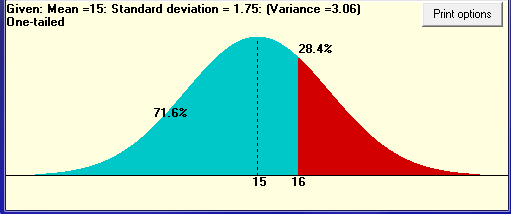
One of the very useful features of POM for Windows is a Normal Distribution Calculator. This tool makes these computations much easier than using a calculator. It is also more meaningful for your students than using Excel because of the graph that is presented. The Normal Distribution Calculator can be found in the Tools menu in POM or on the toolbar and is useful for solving problems in the Project Management, Forecasting, Quality Control and Inventory (safety stock) chapters. Example 10 from Chapter 3, Project Management, is displayed below.
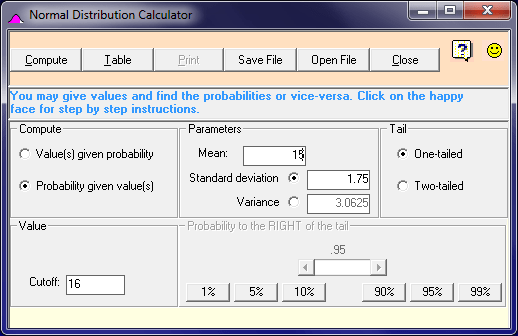
The students indicate the type of problem – compute a probability as in this example or find cutoff values given a probability, enter the mean and standard deviation, indicate whether the problem is one or two-tailed, and either give the cutoff(s) or give the probability. POM displays a very readable, meaningful curve which enables the students to quickly identify the answer.