Guest Post: Two Active Learning Approaches When Teaching Large OM Classes

Chuck MunsonOur Guest Post today comes from Chuck Munson, Professor of Operations Management at the Washington State University. Chuck joins us as coauthor of our new text editions, due out Jan. 1st.

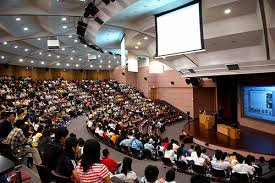
Despite a call for more active learning and engagement in the classroom by the education community, many instructors believe that to be an impossibility in large classes. Here are a two activities that have worked for me.large class

  • E-Counting Game Pass out an excerpt of the Heizer/Render text containing about 400 words. Offer $20 to the first person who calls out the exact number of times the letter “e” appears and $1 to anybody else matching the correct response after that. Students can only respond once. I always keep my lunch money—students miss about 10-25% of the e’s the first time through. (You can verify the number of e’s by using the Find function in Word.) A histogram of their responses (automatically generated via Excel) shows how horrible the group would be as professional inspectors and the fallacy of 100% human inspection. Automated inspection or acceptance sampling is much better in practice.
  • Group Opinion/Strategy Either provide a topic with many possible strategies (e.g., how to implement JIT production when suppliers are located overseas) or present some sort of problem/game whose outcome can quickly be evaluated via computer after knowing student choices (e.g., best number of servers in a queuing problem). Split the class up into groups of five students each. Give them 10 minutes to discuss. There are various ways to report results: (1) all groups can report, (2) a subset of groups can report, or (3) all groups can turn in write-ups of their decisions. In any case, this is one activity where nearly all students will have participated in class because they’ll talk to a small group of peers much more readily than they’ll talk in front of 100 people.           If you’ve had success with other activities in large classes, we’d love to hear about them!
Teaching Tip: Bite Sized Operations Management Lectures

lecture hallA recent article about MOOCs, by the American Society of Engineering Education, has interesting implications for those of us interested in flipped teaching or teaching with technology, two big trends in higher education. The 1st conclusion is that teaching MOOCs is not at all like lecturing, even when literally delivering lectures online. Recording a 50 minute lecture for a MOOC will make for an unpopular online course. Teaching to the iPhone generation means that short segments of 6-9 minutes are mandated.

To teach to a diverse audience, “it’s good to have bite-sized content,” advises a Georgia Tech prof who has distilled his topics into short modules and “edu-bytes” of no more than 10 minutes. A Cal-Berkeley prof has reorganized his 90-minute lecture into 8-to-12-minute video segments, or “lecturelets”, each covering a topic with 1-2 self-check questions. Evidence from the field suggests shorter is sweeter. New data from edX, a nonprofit MOOC provider created by MIT and Harvard, for instance, put the optimal length for lecturelets at 6 to 9 minutes. Median viewing time, where half the students watch the entire clip, peaks at 6 minutes, then falls rapidly.

MOOCs require “a huge amount of work,” adds a UC Davis prof who devotes two full days preparing each 60-to 90-minute lecture. To maximize his instruction time, he writes 8 pages covering not only exactly what he will say, including jokes, but what he will draw. It takes 8 hours to record the lecture, stopping, starting, and rewriting as necessary. The editing crew needs 32 hours to synchronize the audio, screen casts, and video into a complete lecture. It takes 5 to 10 hours to produce each hourlong lecture video.

We are all well aware of the need to spark up our lectures, be they in a small class, a lecture hall, or on-line. Jay and I believe our 35 short company videos and many of the exercises we note in this blog (look back to the scores of Teaching Tips posts over the past 3 years) may help create an exciting classroom atmosphere.

Guest Post: Four Tips for Teaching Large (and Small) OM Classes

 Our Guest post today comes from two experts in the science of teaching. Wilbert McKeachie,  Professor Emeritus at University of Michigan, has served as President of both the American Psychological Assoc. and the American Assoc. for Higher Education. Marilla Svinicki is a Professor at University of Texas-Austin.

Many of us who teach today are being tasked with doing more with less. This can reach to the classroom and result in larger sections as more students are allowed to enroll in each. Large classes are also nothing new for many first- or second-year survey or pre-major courses in business schools. No matter the reason for the larger class size, students may exhibit a tendency to hold back their responses — or their attention — in a large lecture hall. Thus, to combat a tendency towards passivity among students, it’s vital to have a strategy for keeping them actively engaged during each class session.

In our book McKeachie’s Teaching Tips (2011), we offer a number of suggestions for maintaining student interest, involvement, and attention:

Invite faculty members or student teams to debate relevant topics during class. This interchange of ideas offers students an opportunity to practice their listening and critical-thinking skills in a lively setting.
Conduct an interview with another colleague or outside expert who can present a different perspective on the material you’re addressing.
Assign a student presentation. In addition to encouraging independent thinking and individual motivation, the activity can also enable students to learn from one another and gain valuable experience working as part of a team.
If time is too tight for each individual student to present, consider a “poster session.” Working in groups, students conduct research on a given topic, and then present their findings . Students stand by the posters in shifts, ready to answer questions about their work, while also taking time to circulate and review their peers’ posters.

Though you probably won’t substitute all your lectures for these activities, they can certainly serve to break up a sense of routine — and keep students on their toes!

Guest Post: How I Deal With the 1st Day of Class Syndrome at Texas Tech

Phillip Flamm, who is the Core Course Coordinator for OM at Texas Tech U., provides today’s Guest Post–his 6th for us.  Phillip teaches in the ISQS Department at the Rawls College of Business. He can be reached at p.flamm@ttu.edu.

It seems that large classes (>150) tend to have certain challenging characteristics no matter what the course. One of the most maddening issues is the impact of the student syndrome. In short, students feel less engaged in large classes and therefore sometimes start very slowly. I have incorporated several tactics that help motivate students to start course work immediately:

  • I pick a good student from past classes to speak briefly the first day. I leave the room so the class will expect an honest appraisal from the ex-student. They detail exactly what it takes to make a good grade in the course with an emphasis on getting started (purchasing the book, joining a focus group, time management calendar, etc.) immediately.
  • My course, Operations Management, is half lecture and half lab (semester long project requirement). I teach all the lectures and I have 7 or 8 lab instructors who teach 14 labs. The first day, lab instructors show recorded video descriptions of lab project requirements so each student will get the same idea of what is required. 
  • Also in the first day’s lecture I detail exactly what it takes to make a good grade:
    • Join a focus group (7 different times available) to verify their notes.
    • Utilize PRS clickers to answer extra credit questions.
    • Utilize custom notes pages in the back of the text book to record their personal lecture notes.
    • Point out poor grade statistics of students with no text book.
    • And what’s in it for them:
      • Develop skills that recruiters want (work well in teams, verbal and written presentations, developing a business plan)
      • Evidence that students have used their projects as successful talking points in interview situations to get a job.

It is impossible to motivate everyone to start fast, but hitting the students from several angles initially seems to help.

Guest Post: Creating Collaborative Opportunities in Large OM Classes

Phillip Flamm teaches in the ISQS Department at Texas Tech University. This is his 4th Guest Post on tools for teaching OM. His 1st post was on how he handles large sections, 2nd on the use of “clickers”, and most recent on lab components.

Studies suggest that students can comprehend and retain information more quickly when studying in a group environment (collaborative learning). In large class sections (>100) a collaborative learning environment is difficult to create. I have added voluntary “focus groups” to my large sections of Introduction to Operations Management in an effort to create a supplemental collaborative learning environment. Students attend these “focus groups” regularly at a scheduled time after each lecture. Exam grades for members of these groups run 10 to 15 points higher than the average exam score.

At the first of the semester I ask for volunteers to lead the groups. I meet with these students directly after each class and spend 10 to 15 minutes summarizing lecture concepts. Then the group leaders meet later with the members of their respective “focus groups” and guide them through the material (usually one hour). Members are encouraged to ask questions and add comments as needed. This collaborative learning environment allows group leaders as well as group members to increase comprehension of lecture material in a very time effective manner.

I believe in an effort-based grading system and I try to reward students who give extra effort.  Students who are willing to put forth extra effort by attending “focus group” meetings are rewarded with a better understanding of course material and ultimately higher grades. Students that don’t attend meetings generally are pushed farther down the grade pecking order. The lesson here for the group leaders is that teaching a topic is the best way to learn that topic. For students in general the lesson is that the effort required to take advantage of collaborative learning pays off both in comprehension and grade performance.

Guest Post: Using Personal Response System “Clickers” at Texas Tech U.

Our Guest Post today is from Phillip Flamm, who is an Instructor in the ISQS Dept. of the Rawls College of Business at Texas Tech University. His earlier Guest Post talked about teaching large  OM sections.

I began my affair with personal response system clickers in 2004. I teach large sections (300- 400 students) of Intro to OM. The most serious problems I faced were getting the students to come to class and once they were there, keeping them engaged. At that time “clickers” were just starting to be noticed in higher education. I had what I thought at the time was a great idea: require the students to have clickers for answering questions in class. This was what I call the “Ugly” period. The first devices used microwave signals. Students complained about the prices ($40) and when 300 students all sent answers in at the same time about half of them weren’t recorded.  As a result, I decided to use the system for extra credit only.

The next 3 years ushered in what I call the “bad” period . Microwave signals were replaced with radio frequency signals. Now all signals were received, but the new devices were still expensive and were very easily damaged. Batteries lasted about two weeks. I was swamped with complaints.

In 2010 the “good” era began. Clickers were dependable, albeit  pricey. Fortunately, Texas Tech  had adopted Turning Point  as a campus-wide vendor and used clickers became available at every book store.  But  tracking results required downloading an Excel spreadsheet after class on a memory stick and transferring it to my office computer for totaling semester extra credit results.

Will 2011 be the beginning of the “great” era?  Software is now available that allows students to use a clicker, a cell phone, or a laptop to answer questions. This should be an improvement depending upon whether it is actually easier to collect and summarize data. I’m switching to Turning Point Response Ware . From my experience I can tell you that use of clickers does provide the following advantages:

  • Refocuses the students’ attention (4 to 5 questions per lecture)
  • Allows for collaborative learning
  • Reinforces key points that may be exam questions (if students don’t get the correct answer I back track to bolster understanding).
  • Can be an excellent method of substantiating assessment for accreditation purposes.

Happy clicking!