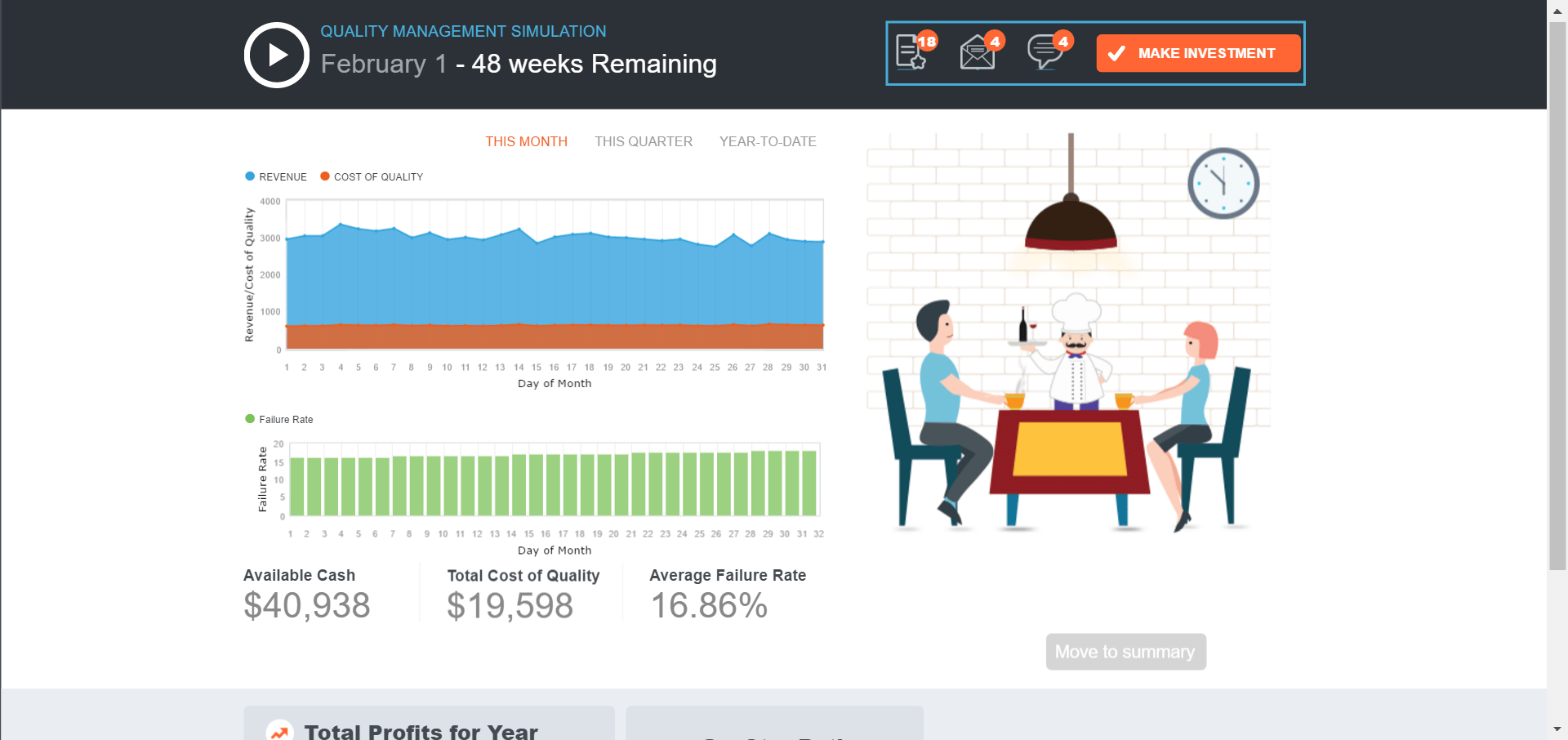
Teaching Tip: Our New Quality Management Classroom Simulation

Quality Management Simulation is the 3rd of our four new classroom gaming exercises. It accompanies Chapter 6, Total Quality Management, and is free within our MyOMLab learning system.

Goal: Make quality investments with good ROI in terms of profits and customer ratings.

You are the manager of Cibare, one of the hottest Italian restaurants in town. You manage a full service staff and work closely with the Chef and the restaurant owner to ensure Cibare is providing a high-quality experience for customers. It is your job to make sure daily operations are running smoothly and that the investments you make to improve or maintain quality provides a return that exceeds the cost.

Learning Objectives

  • Understand that quality is an investment. There is a cost to investment and often a return. When managers allocate resources appropriately, the return on an investment should exceed the cost.
  • Understand that quality is a continuous pattern of activities and not a one-time event.
  • Develop a more complete understanding of total cost concepts.
  • Help the student realize that exact numbers and are not always available as on an exam and acknowledge that outcomes have uncertainty associated with them and that decisions must be made with imperfect information.

    Industry: Food service/ Hospitalityquality simulation

Teaching Tip: Our New Project Management Classroom Simulation

This Project Management Classroom Simulation is the 2nd of our new classroom gaming exercises. It accompanies Chapter 3, Project Management, and is free within our MyOMLab learning system.

Activity Brief

Select and manage subcontractors to achieve schedule and profitability goals of home-building project.

You are the general contractor for a high-end, private residence construction job. You manage teams of subcontractors who work on various aspects of the house, from plumbing and electrical to drywall and landscaping. The homeowners, Robert and Maggie Applebaum, want to be in their new house in 7 months and will check in with you regularly about its progress. It is your job to make sure daily operations at the site are running smoothly and that the house is completed on time and within budget, without negatively affecting your other building projects

 Industry: Constructionproject managemnt sim 2project management sim 1

Teaching Tip: Our New Forecasting Classroom Simulation

This Forecasting Classroom Simulation is the 1st of our new classroom gaming exercises. It accompanies Chapter 4, Forecasting, and is free within our MyOMLab learning system.

Activity Brief

As an operations consultant, you have just signed a 2 year contract to provide monthly forecasts of customer demand for a new gas station.  The gas station will sell 3 types of gas: Regular, MidGrade, and Premium. The gas station will have a total of 8 pumps offering all three types.

The gas station will also have a modest convenient store with a standard selection of snacks, beverages, and other miscellaneous items. However, the ownership group believes the station will attract business primarily due to its prime location near a major highway. Pricing for gas will be comparable to alternatives in the area and will predominantly be driven by market conditions relating to the price of crude oil per barrel.

The ability to forecast the next month forecast is critical for the station’s inventory management and other business planning. It will be necessary to gather various sources of information and ultimately analyze data in order to make the best forecast for each of the 24 months of the contract.

Your performance will be based on the collective mean absolute percentage error (MAPE) among the three types of gas. If you are able to forecast at less than or equal to 5% MAPE, you will receive a $10,000 bonus for your work. If your forecast are between 5% and 20% MAPE, you will not receive the bonus, but you will secure the position and receive a contract renewal. If the MAPE exceeds 20%, you will not receive a contract renewal.

Learning Objectives

  • Understand and break down patterns of customer demand
  • Generate forecasting models based on judgement, causal, time-series methods, or seasonal methods
  • Evaluate the quality of a forecast model using error metrics (specifically mean absolute percentage error).
  • Help students understand the distinction between the “signal” and the “noise” (Students are encouraged to also read The Signal and the Noise: Why So Many Predictions Fail, but Some Don’t. by Nate Silver). Many aspects of customer demand variation are explainable – the signal, but there needs to be an acceptance of unexplainable variation – the noise. In other words, students have to make a concession that their models will not predict customer demand with 100% accuracy.

Industry: Retailforecast sim 2forecast sim 1

MyOMLab: Our Four New OM Simulations

We are thrilled to announce that our learning package now includes some pretty sophisticated OM simulations. Here is a bit of background information.

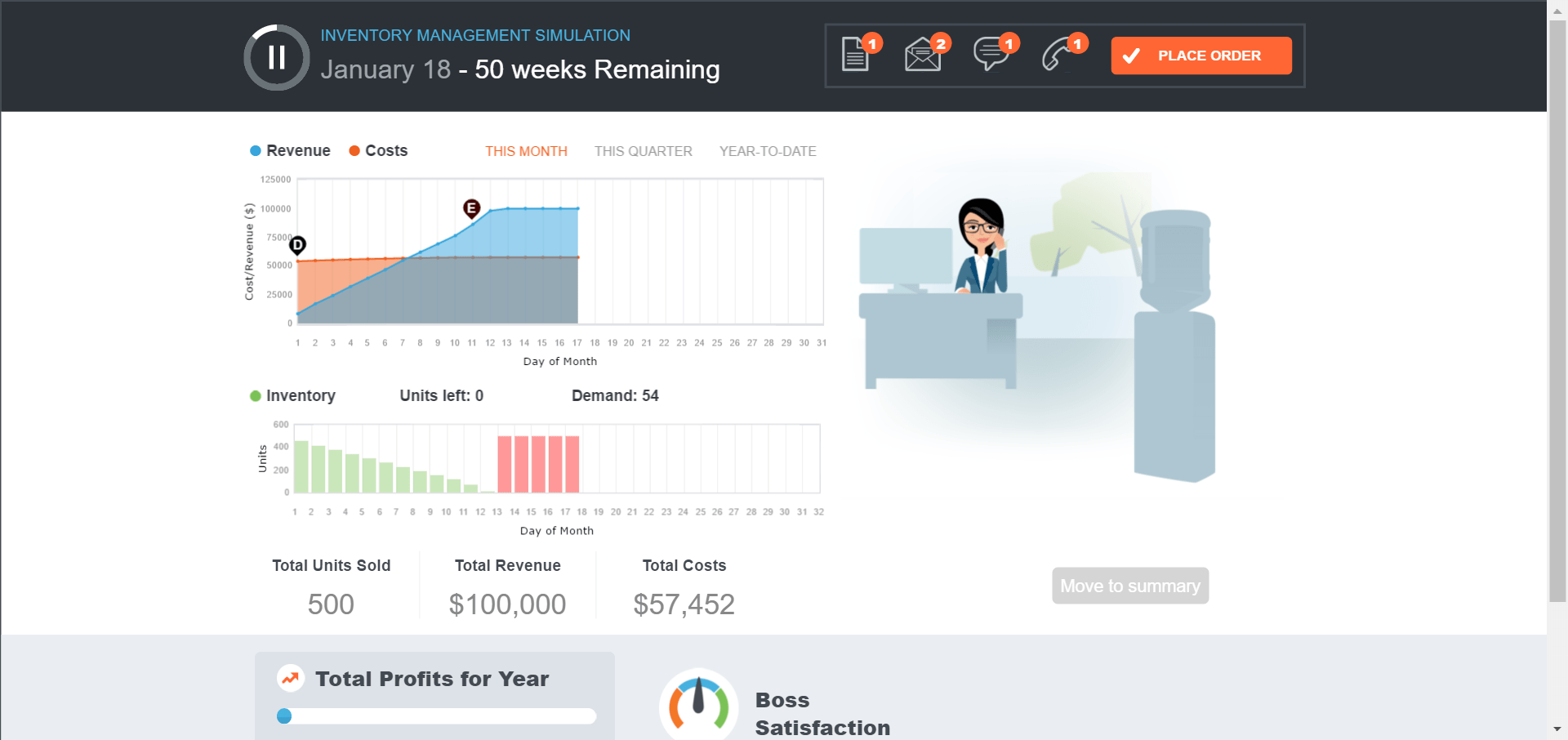
  • How many simulations will be part of OM Simulation?  We have four gaming simulations: inventory management (chapter 12), quality control (chapter 6), forecasting (chapter 4), and project management (chapter 3). A fifth, supply chain management (chapter 11), will be available in late Fall.
  • Are these simulation to be done in class or outside of class?  The OM simulations are fully assignable through MyOMLab, so students could complete this as homework presumably after completing their reading. It would also work as an in-class activity, either working as an individual or as part of a team.
  • Are the OM simulations smartphone compatible?  The OM sims are compatible for mobile devices including smartphones in landscape orientation.  However the simulations are optimized for desktop/laptop devices.  Our research suggests that for activities of this length, most students still prefer desktop/laptop use.
  • Are the OM simulations accessible?  Yes, the OM simulations have been developed with a number of accessibility features including compatibility with screen reader devices.
  • Can you pause the simulations?  Yes, you can pause all of the simulations to review the artifacts (documents, emails, voicemails, texts) or make a decision.
  • What is the price of the OM simulations?  Access to simulations is through MyOMLab and included in that purchase cost. There is no additional fee to purchase these simulations on top of the MyOMLab purchase.simulation


MyOMLab: Home Page and Student Review Updates

myomlabUPDATED PORTAL HOMEPAGE: The MyCourses portal is the page you see after logging in and before you enter your MyOMLab course. New updates to the MyCourses portal and course creation process will streamline the interface and provide more personalization for instructors.

  1. A streamlined course listing interface offers increased insight into course types, course details, and the ability to re-order courses.
  2. The simplified, guided course creation process allows instructors to see new and current editions of each product and allows the creation of roles such as coordinator courses or member sections.
  3. An improved catalog search with sorting and filtering helps instructors more easily find correct course materials.
  4. Enhanced third-party LMS integration resources and functionality now provide student registration handouts specific to the LMS in use and offer longer access to integrated courses.
  5. Improved functionality for managing section instructor access allows section instructor to enroll as a section instructor after logging in to MyLab/Mastering account. In addition instructors now have the ability to hide section instructors and teaching assistants from student course details.
  6. Course dates and subscription access lengths have been updated to remove the 90-day restriction between course creation date and course start date and now allows visibility into students’ subscription end dates in the course roster.

STUDENT REVIEW: Default MyOMLab setting for student review will now enable students to see any available answer feedback when they review their performance on tests, quizzes, and homework. The default setting will also allow feedback for all parts of homework questions to be accessible to students at all times so they can see at what point their errors occurred.

MyOMLab: New OM Course Home Page for Students

myomlabMore upgrades for MyOMlab for Fall. A new, simplified interface provides students with easy access to important course announcements, assigned activities, and grades. Students using MyOMLab this Fall will see a fresh new Course Home page, which features:

  1. Improved visibility of important instructor announcements
  2. Clear views into upcoming due dates, as well as completed assignments
  3. Easy-to-read visuals of student grades on completed activities, as well as the percentage of completion of activities by assignment type

mylab


MyOMLab: Some Exciting New Resources for Fall 2016

There have been many enhancement to MyOMlab that we will share with you in the coming days. Here are just two that we are very excited about. If you have not tried out MyOMLab as a learning and assessment tool, let your Pearson rep (or me) know and we will set up a private tutorial for you. More than half of our adopters are using this fantastic package already.

Dynamic Study Modules help students study effectively on their own by continuously assessing their activity and performance in real time.

  1. Instructors now have the ability to remove questions from a module to add additional personalization.
  2. Changes are now retained when copying a course for future semesters.

OM Simulations
Interactive and robust, these simulations were designed for our Operations Management students to provide hands-on experiences in real-world roles, helping them to link course concepts to on-the-job application.  Using real-life myomlab simulationsituations, students evaluate information and then engage in decision-making and critical analysis.

  • Four new simulations are available this month as part of MyOMLab: Inventory Management (Chapter 12), Quality Management (Chapter 6), Forecasting (Chapter 4), and Project Management (Chapter 3).
    • 90% of students who piloted the simulations in 2016 would recommend their instructors use them in the course.

MyOMLab: Some Changes for Spring Semester

myomlabAs you know, we are constantly updating and improving the many features in MyOMLab. To keep you in the loop, here are a few new tools:

Inactivity Timeout. Students who show no activity for 60 minutes when working in a homework assignment will be prompted to continue. If no response is given, the assignment session will end in 5 minutes. “Activity” is defined as any keystrokes or mouse clicks within the question or assignment, and any work completed prior to the session ending is saved.

Question Pooling. When creating tests or quizzes, instructors will now see the “Pool” and “Unpool” buttons–in other words, pooling has been enabled by default, thereby saving instructors a few clicks and some precious time.

Enhancements to Student Results Reporting. Instructors will be able to easily and automatically import student results from courses between different editions of a book and/or a national to custom version of a course. Instructors can import results even for assignments that differ in the number and type of questions by manually mapping the assignments. Study Plan mastery results are also transferrable to the new course, should instructors choose to do so.

Managing Incompletes. When instructors go to the “Manage Incompletes” page for in-progress tests or quizzes, they can now just accept the default setting for submitting current score instead of submitting zeros, which was the previous default.

Course sharing. Instructors now have the ability to send a copy of a course to another instructor. When instructors share a course, the instructor they shared the course with has FULL access to the course and any changes they make are reflected in the other account. Sending a copy will allow instructors to send a copy of a course so that instructors can make any changes they want without it affecting other courses.

Enhanced Editor. An additional “options” fields for multiple choice questions is now available, so that instructors can more easily add superscripts/subscripts, etc. to answer choices.

Updated Homepage. Our newly updated Learning Catalytics home page will make it easier for users to access program information and support.

MyOMLab: New MyOMLab Features for Summer and Fall, 2015

myomlab  Jay and I would like to keep you up-to-date on the latest features being added to MyOMLab, so here are some nice new additions.

Dynamic Study Modules:

1.) A new “Interactive Report” that helps determine learner participation, topics that are difficult and those that are well understood, and provides details on how students are answering specific questions.  (Live NOW)

2.)  An updated design to the DSM Mobile App, which will provide more consistency between the look and feel of the full web version.  (Available for Fall 2015 classes)

Learning Catalytics:

1.) A “Math Palette” that can be used with student responses on mathematical expression type questions.

  • This feature enables instructors to use Greek symbols, PI,  Logarithm, Exponent, Trigonometric functions, Absolute value, Square root, Nth square root, and Fractions. (Live July 15th)

2.) A redesigned Question Library that makes it easier for instructors to find questions in certain topic areas, and add multiple questions to a module at once. (Live July 15th)

Reporting Dashboard

Instructors and administrators will now be able to select the portion of the report where they would like to see more detailed information and then see the student results that are included in that portion of the report. They will also be able to sort the results, search for individual students, print or export the detailed results, or email one or more students from within the report. (Live Now)

MyOMLab: Starting the New Semester

myomlabAs you start the semester, Jay and I just want to remind you that Pearson has provided a huge variety of video tutorials to help you get stated (or restarted) with MyOMLab. The videos work for a first time user as well as a refresher. We are often surprised at the ever increasing variety of creative options available to enrich the student experience. And you may save yourself some time as well. MyOMLab is, indeed, a very rich educational tool, so there may be some features you are not yet using to their full advantage. Reviewing these videos may well be worth your time.

The site is easily accessed at:

http://www.pearsonmylabandmastering.com/northamerica/myomlab/educators/support/get-started/index.html

Also, recall that our  24/7 site for instructor/students for technical support is: http://247pearsoned.custhelp.com/. Or you can Phone 888-433-8435   for Instructors or 800-677-6337 for Students. We find that some extra time getting everyone ‘on board’ with MyOMLab the first few days of class is a good investment. Try to look over the new features that are accessed from the MyOMLab opening page.

And, of course, if you want to review how others are teaching the course or generate some ideas or innovative ways to present the material, you may find the many syllabi available on this blog helpful. The blog includes ideas for stimulating class participation, designing field trips, scheduling guest lectures, organizing classroom games and exercises, etc.

We hope you are off to a good start this semester

MyOMLab: Some Enhancement for Spring 2015

myomlab We are always working to add more features to MyOMLab. Here are five new items that you may not be aware of.

HTML5 Player Enhancements: Show Work and Printing Options The HTML5 player will include a redesigned Show Work component that lets students enter text either from a keyboard or by using a stylus or finger to draw freehand on different backgrounds (such as a coordinate graph) using multiple fonts and colors. Students can also continue to upload images such as phone-photos of hand-written work. The printing enhancements include improvements to the layout of printed exercises to be more pen-and-paper friendly and the addition of several new printing options for the instructor (only available if HTML5 player is available for all devices in given book) including the ability to add instructions, add an honor statement, print an answer sheet with answers in-line, and more.

Show/Hide Learning Aids at the Question Level New options for learning aids availability let instructors choose whether to show or hide all learning aids for specific questions or to show or hide specific learning aids for specific questions. These options are accessed from the View Question Details/View Assignment Details page on Step 2 of assignment creation.

Study Plan Enhancements Instructors will have a new Gradebook view that lets them easily review and analyze students’ progress on Companion Study Plans, including an Item Analysis view that identifies which objectives the class mastered or had trouble with. Instructors can also set as the default a new interactive view of the course (the former View Progress page) that lets students go directly to the sections or topics that need study. Also, the next-assigned Companion Study Plan will be automatically shown to students, simplifying their navigation in the Study Plan.

Dynamic Study Modules Improvements  Improvements to Dynamic Study Modules included a revised progress bar that better visualizes the students progress in a module, a new introduction video familiarizing students with DSMs and popups that replace the “Rose” avatar, a streamlined experience between rounds, and the ability for Pearson to add customized end-of-module messages.

Improved MMND Discussion Board The ND discussion board is getting a new design and layout.

 Our  24/7 site for instructor/students for technical support is: http://247pearsoned.custhelp.com/. Or you can Phone 888-433-8435   for Instructors or 800-677-6337 for Students. Our Community site has been updated to include ALL of the MyOMLab training videos, new success stories, best practices and more.   http://www.myomlabcommunity.com/

Guest Post: Using MyOMLab at Canisius College Increases Learning

lynn fishOur Guest Post today comes from Dr. Lynn A. Fish, who is Professor of Management at Canisius College

About a year ago, I ran a study for graduate student performance, using MyOMLab using the Heizer/Render text. The study reviewed the student’s performance using MyOMLab versus in-class. In the study, students completed their online homework, and then completed similar questions in-class on quizzes and tests. I recently ran the same study using undergraduate students. Again, the results indicated that students really learn using MyOMLab! In fact, the correlations were even higher for the undergraduates than the graduates.

Undergraduates and graduates exhibited moderate learning when the MyOMLab to in-class questions are ‘scaffolded’. (Scaffolded questions give the logical questioning and development of the problem by the questions asked. That is, one question result is used in the next question analysis, and so on. Partially-open questions may include some scaffolding and some open-ended portion. Open questions are large, complex problems students develop without being given the logical questioning, essentially a ‘blank sheet of paper’). As the in-class questions become ‘more open,’ students do not perform as well in-class testing. (Open, computer-graded questions are not available in MyOMLab at this time.)

These studies were done before additional features – vignettes, stories and videos, were added last summer to MyOMLab. The new features may encourage deeper thinking not currently shown in the studies that I’ve conducted. Regardless, both studies indicate that using MyOMLab encourages students to try the problems and learn.

The study, which I recently presented at the DSI meeting in Tampa, shows MyOMLab works. In recent course offerings, I added additional questions to the dataset that mirror my philosophy and methods. In the future, I’ll be reviewing the student’s correlation between online and in-class for the newer MyOMLab features. For example, short readings and videos, which may offer a different level of learning, and testing in the online environment, are features – that to my knowledge – are not in other textbook’s software.

MyOMLab: Three New Types of Homework Assignments

myomlabAs you start to use MyOMLab in your fall classes, Jay and I want to make sure you are aware of 3 features we have added as homework options. They are: Conceptual Multiple Choice questions, Video questions, and OM in the News questions. To review these, just go to Instructor’s tools, then Assignment manager, and Create assignment. You can check the boxes for these three categories to see what is available.

For example, under Conceptual MC questions, you will find four questions that apply to each major heading throughout the text. These are perfect questions to assign to students the week before you lecture on a particular topic. Jay has been doing this for many years and finds students much better prepared for class than they were before they were encouraged to scan the topics and answer the questions.

The Video questions relate to the 30+ videos we have created for the text, ranging from the Orlando Magic (the latest set) to Frito Lay, Hard Rock, Arnold Palmer Hospital, Regal Marine, Darden, and Wheeled Coach Ambulances. You can ask your students to watch a video and then assign one or more of the four questions (multiple choice) that we have created for that video.

If you like the OM in the News features in this OM Blog, you may find that your students benefit from reading about current news relating to OM as well. There are now 1-3 readings listed in each chapter, with 4 multiple choice questions you may assign for each reading. The readings are short–300 to 400 words–and directly linked to the chapter you are covering.

More and more options for keeping your students engaged, current, and graded without any effort on your part. Let us know what you think.


MyOMLab: Updates for Fall, 2014

myomlabThe new MyOMLab release was just installed, and includes a number of new features:

Grade Sync Enhancements for Third-Party LMS Integrations Courses in all standard integrations (formerly kiosk integrations) with Canvas, D2L, and Moodle are now automatically send grades and assignments information. These default settings are now also applied when copying courses.

Learning Catalytics™ Instructors and students now have Single-Sign-On to Learning Catalytics™, “bring your own device” student engagement, assessment, and classroom intelligence system. From a pre–built announcement on the Course Home, instructors now have access to Pearson-created content questions or they can create their own questions.

Assignable Dynamic Study Modules Instructors now have the ability to assign Dynamic Study Modules as homework, choosing which modules to assign, how many points they are worth, and when they are due. All student work for the assigned modules is now feed directly to the gradebook.

HTML5 Mobile Player The MyOMLab Exercise Player has a new streamlined mobile friendly design, allowing access from iPads and Android tablets.

Reporting Dashboard A new Reporting Dashboard presents student performance data at the class, section, and program levels. This is designed to give you the information you need to keep your students on track throughout the course, and demonstrate learning outcomes clearly and easily.

Notify Lab Administrators Note that MyOMLab require the use of the Adobe Flash Player version 10.2 or higher. The recommended version is Flash Player 11.9.

If your campus labs are running Windows 8.0 or 8.1, please make sure your computer lab administrator downloads and installs the LockDown Browser executable file before classes begin. (The latest Windows version of the LockDown Browser is 1.0.6.01, dated March 28, 2014.) The latest Mac version is 1.0.6.00, also dated March 28, 2014. This version contains the basic and scientific calculators that match Windows 7’s calculator layout.

Our  24/7 site for instructor/students for technical support is: http://247pearsoned.custhelp.com/. Or you can Phone 888-433-8435   for Instructors or 800-677-6337 for Students. Our Community site has been updated to include ALL of the MyOMLab training videos, new success stories, best practices and more.   http://www.myomlabcommunity.com/

Teaching Tip: The Importance of Feedback in Your OM Course

Research overwhelmingly shows that students pay attention and respond to grades, writes Faculty Focus (June 20, 2014). They guide their time, their attention, and their effort based on the grades they are getting. Thus, grading and feedback can be effective tools for focusing students’ attention. For this to work, however, grading must be aligned with learning objectives, and feedback must move students toward those learning objectives. Also imperative is that grading and feedback are consistent, timely, immediate, ongoing, and incremental.
Feedback is a tool that develops cognitive understanding, motivation and engagement. It not only helps students learn course material but also helps keep them motivated, engaged in what can feel like an isolated environment, and connected to the course.  All told, feedback has a direct bearing on whether students have meaningful interactions with course materials and overall positive course experiences. Because feedback can be such a powerful tool, we are big believers in the MyOMLab on-line assessment system that accompanies our text.

The issue is that instructors don’t have the time to provide the kind of handwritten feedback they would like to deliver. With one teacher and 20, 50, or more students per course, it can be daunting and even impossible to fulfill feedback best practices. In any given week, instructors face an exponential buildup of student artifacts that demand time and attention. It is an overwhelming challenge to maintain a desirable level and quality of grading feedback without overinvesting, which can lead to instructor burnout. It is important to note that the goal is not to improve feedback by spending more time on it. Rather, the goal is to optimize time spent on feedback so that instructors can invest an appropriate amount of effort and get high-quality results.

myomlabOur strategy is to embrace emergent technologies of automated assessment systems like MyOMLab. Technology can automate some repetitive feedback tasks to improve efficiency without diminishing quality.